

Game facts
- Type
- Racing Games
- Input
- Keyboard and Touch. The key list is in Controls below.
- Modes
- The game listing describes local or multiplayer play. Open the mode list in the loaded game to confirm which options are available.
About Crazy Cars
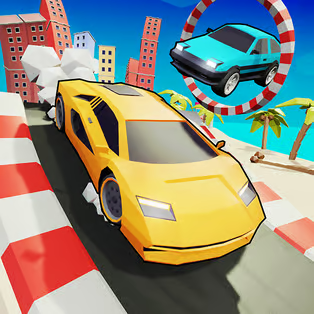
Crazy Cars is an exciting 3D racing game developed by No Pressure Studios that offers an immersive driving experience in a vibrant environment filled with diverse tracks and challenging obstacles.
Players can select from over 17 unique vehicles, each with its own handling and performance characteristics. Navigate through thrilling ramps, ascend Mount Egg, participate in drag races, and explore various exciting areas throughout the game.
Collect stars, wrenches, and other items scattered throughout the tracks to unlock and purchase new cars. The game features a split-screen mode, enabling two players to race against each other on the same screen for competitive local multiplayer fun.
How to play
In Crazy Cars, your goal is to race through diverse tracks filled with unique obstacles and challenges. Experience ramps, loops, moving barriers, and various terrain types as you navigate your chosen vehicle through each exciting course.
Collect stars and wrenches scattered throughout the tracks to unlock new vehicles and upgrades. Each vehicle has distinct handling characteristics, so experiment with different cars to find the one that suits your racing style best.
The game features multiple racing modes including standard races, drag races, and exploration of special areas like Mount Egg. Utilize the split-screen functionality to compete against friends locally in intense two-player races where skill and strategy determine the winner.
Controls
Keyboard
Player 1: Use WASD keys to steer, Space bar to brake, ESC key to pause, and R key to reset. Player 2: Use Arrow keys to steer, Space bar to brake, ESC key to pause, and R key to reset. The game supports local split-screen multiplayer with separate controls for each player.
Touch
Touch controls are optimized for mobile gameplay. Use on-screen controls to steer your vehicle, brake, and navigate through tracks. The game is fully compatible with phones and tablets, offering an intuitive touch-based racing experience.
Click or tap inside the game window first. If a key does nothing, follow the prompt shown by this version of Crazy Cars.
Tips
- Master the controls: Practice with different vehicles to understand their unique handling characteristics. Each car responds differently to steering and braking.
- Collect everything: Stars and wrenches are essential for unlocking new vehicles. Don't miss collectibles as you race through tracks.
- Learn the tracks: Familiarize yourself with track layouts, obstacle placements, and optimal racing lines to improve your lap times.
- Use split-screen mode: Compete against friends locally to improve your skills and enjoy competitive multiplayer action.
- Balance speed and control: Going too fast can cause crashes, while being too cautious will slow you down. Find the perfect balance for each track.
- Explore all areas: Don't just focus on racing - explore special areas like Mount Egg to discover hidden collectibles and challenges.
- Upgrade strategically: Use collected wrenches and stars to unlock vehicles that match your preferred racing style.
- Practice makes perfect: Spend time mastering each vehicle type and track layout to become a skilled Crazy Cars racer.
What changes during play
Crazy Cars features diverse tracks with unique obstacles and challenges including ramps, loops, and moving barriers. Players can explore various areas such as Mount Egg, participate in drag races, and compete in standard racing modes. The game offers over 17 unlockable vehicles, each requiring stars and wrenches to purchase. With split-screen multiplayer support, players can race against friends locally on the same screen. The difficulty progressively increases as you unlock new vehicles and explore more challenging tracks.
Screenshots
Frequently asked questions
What is Crazy Cars?
Crazy Cars is an exciting 3D racing game developed by No Pressure Studios.
How do you play Crazy Cars?
In Crazy Cars, your goal is to race through diverse tracks filled with unique obstacles and challenges.
How do you control Crazy Cars?
Player 1: Use WASD keys to steer, Space bar to brake, ESC key to pause, and R key to reset.


