
Game facts
- Type
- Shooting
- Input
- Keyboard and Touch. The key list is in Controls below.
About Undead Invasion
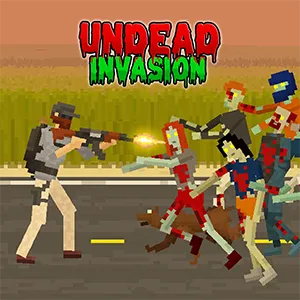
Undead Invasion is a pixel-style side-scrolling zombie battle survival game where players control a character fighting off constant waves of undead. The game merges roguelike replayability with tower-defense planning inside a collapsing homeland. Set in a ruined orphanage that becomes your headquarters, you must guide your every decision with rising tension and limited resources. Randomized upgrades keep each run unpredictable, while expanding weapon options elevate every wave into a tougher stand. The harsh road awaits—step in and defend what remains!
How to play
The core gameplay centers on holding ground against escalating waves while juggling upgrades, barricades, and resource spending. Every zombie push grows fiercer, creating a flow of defense, repair, and adaptation that shapes your long-term survival. Before each wave or in between waves, you can place barricades, drop traps, and more to slow down zombies, giving your character more time to fight back. Move left and right, attack with your chosen weapons, and keep distance from the undead. They will attack you when you get too close, so kick your foot and use melee weapons if enemies get too close. You can also throw grenades to eliminate large clusters. You earn coins by defeating zombies and surviving the full day. Use that money to purchase stronger weapons, health items, and additional defense items for surviving harder waves ahead. If your character dies, you have to start from the very beginning, since there are no checkpoints. The game also features a Playground mode, a creative space using unlocked items freely, enabling experimentation with traps, weapons, and layouts without death risks interrupting your tactical testing.
Controls
Keyboard
Click: Attack | [Q]: Switch weapon | [E]: Use a knife | Numpad 1: Use bomb | Fence Icon: Build structures | [R]: Reload | Spacebar: Kick
Touch
Tap: Attack | Use on-screen buttons to switch weapons, use knife, throw bombs, build structures, reload, and kick
Click or tap inside the game window first. If a key does nothing, follow the prompt shown by this version of Undead Invasion.
Tips
- Keep distance from zombies - they will attack you when you get too close, so use ranged weapons and maintain spacing
- Place barricades and traps strategically before each wave to slow down zombies and give yourself more time to fight
- Use grenades to eliminate large clusters of zombies efficiently
- Upgrade your weapons and defenses between days using coins earned from defeating zombies
- Kick and use melee weapons when enemies get too close for ranged combat
- Proper placement of defenses is crucial - think about zombie paths and chokepoints
- Experiment in Playground mode to test different trap and weapon combinations without risk
What changes during play
The game features wave-based survival with dynamic waves scaling pressure every single day. Each day brings increasingly more aggressive waves of zombies with faster, stronger, and more varied zombie types. As you progress, you'll face tougher hordes that require better gear and strategic planning. Victory grows from smart positioning and steady improvement, while failure arrives once your defenses collapse and the orphanage falls.
Screenshots
Frequently asked questions
What is Undead Invasion?
Undead Invasion is a pixel-style side-scrolling zombie battle survival game.
How do you play Undead Invasion?
The core gameplay centers on holding ground against escalating waves while juggling upgrades, barricades, and resource spending.
How do you control Undead Invasion?
Click: Attack | [Q]: Switch weapon | [E]: Use a knife | Numpad 1: Use bomb | Fence Icon: Build structures | [R]: Reload | Spacebar: Kick


